Case study
Amigo
A friend indeed is what you need, a task management app helping kids manage academic tasks and time.
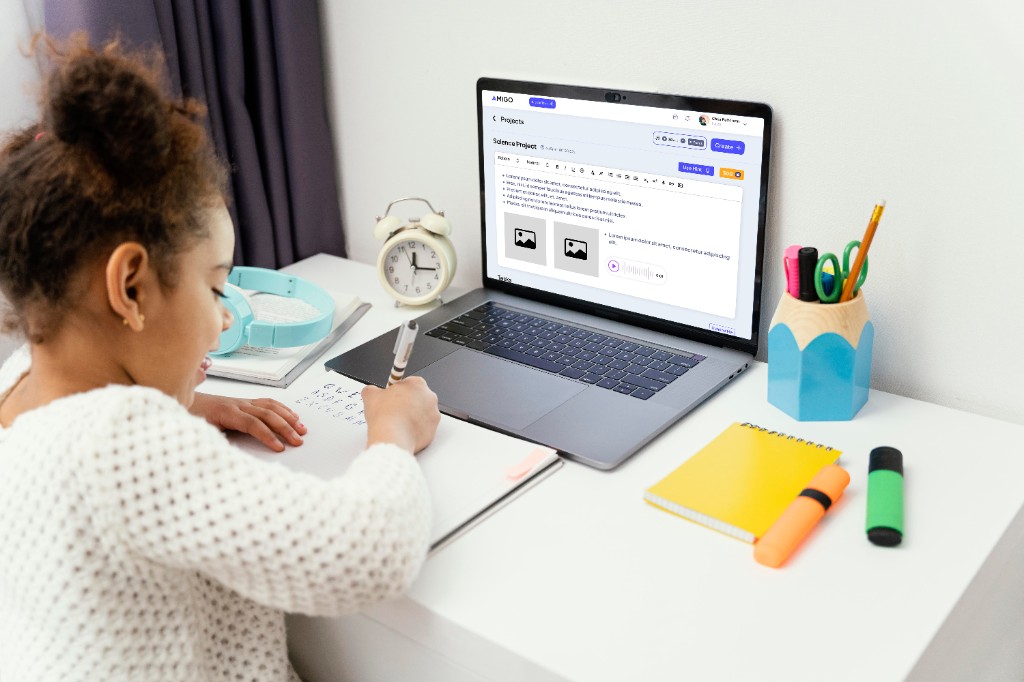
Amigo is a task management app for children aged 5–13 that helps students stay on top of their schoolwork, complete tasks on time, and build positive habits. Through gamification, rewards, and parent visibility, it reduces stress for both children and their parents.
- MY ROLE
- Research, UX/UI Design, Prototyping and Testing
- DURATION
- 6 months
- TOOLS
- TEAM
- Academic project



overview
Introduction
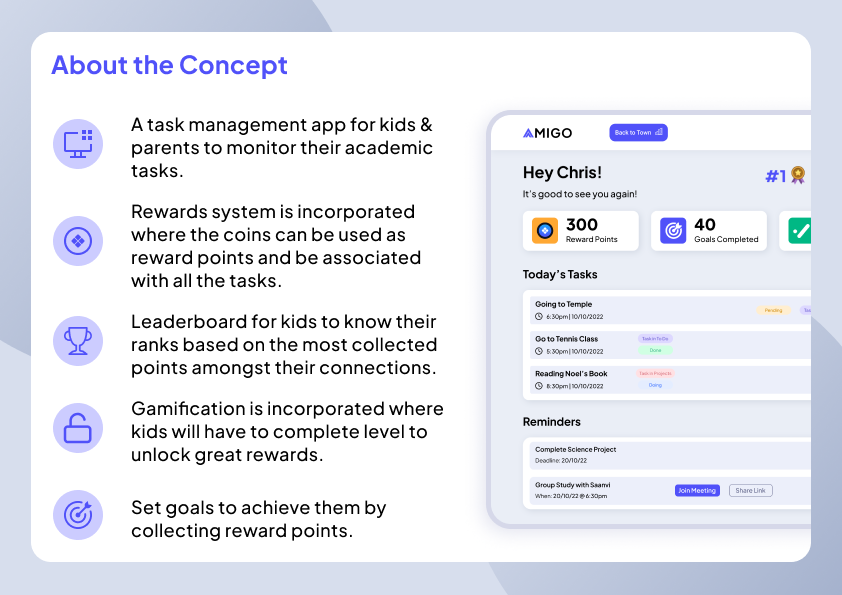
Amigo is a gamified academic task management app that uses gamification to motivate children to complete assignments and projects through Bunny Coin rewards, progress tracking, and interactive challenges. Parents can assign tasks, monitor progress, and stay involved without constant micromanagement. A town inspired interface transforms core features into playful destinations including the Dashboard Centre, Job Centre, Rewards Centre, Leaderboard Centre, and Community Centre making task management feel engaging rather than overwhelming.
The Problem
Many students find it difficult to stay organised, often becoming distracted, missing deadlines, and gradually losing confidence in their academic abilities.
Problem Statement
Poor time management and frequent distractions make it difficult for students to stay on top of their schoolwork, leading to missed deadlines, increased stress, declining confidence, and growing concern among parents about their child's learning and performance.
Four pressures shaped the brief:
- 01Students lose focus and miss deadlines.
- 02Working parents cannot easily track academic tasks.
- 03Traditional timetables fail to keep kids motivated.
- 04Anxiety spikes near deadlines when tasks pile up.
The design needed an alternative to rigid schedules, one that keeps kids engaged through meaningful incentives while giving parents a single place to manage and monitor academic work.
How Might We
How might we help kids aged 5–13 manage their academic tasks and time more effectively, while giving parents the visibility and motivation tools they need without making the experience feel punitive?
Research · Market Study
Relevant precedents
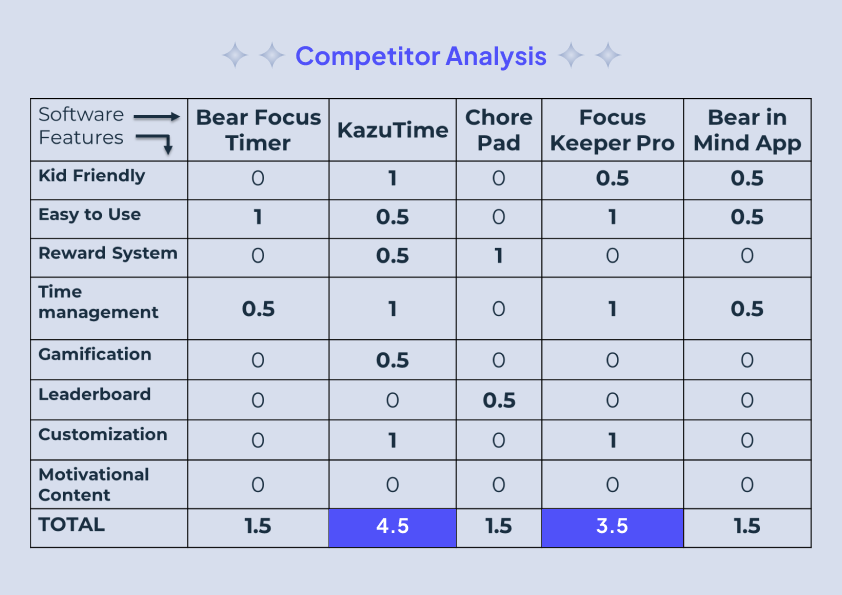
I studied task-management and focus apps for children to understand what worked, what felt too clinical, and where Amigo could differentiate through rewards and gamification.
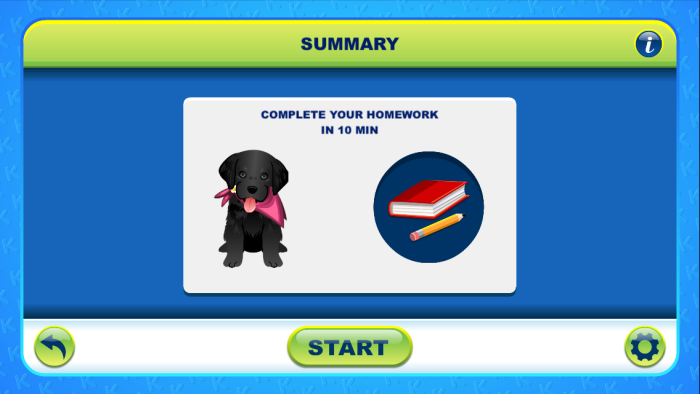
KazuTime
A visual-timer app for kids aged 3–8 where a husky races along a path to show time remaining for chores or homework.
Relevance: Shows how visual time cues and personalized tasks can make deadlines feel approachable for younger users.
Influence: Informed Amigo's reward-point system and kid-friendly visual feedback around task completion.
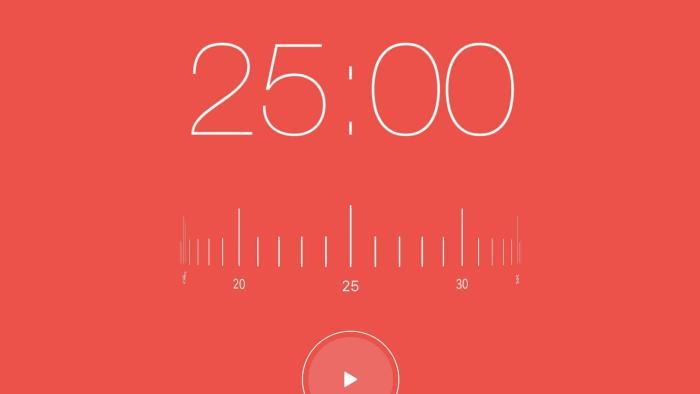
Focus Keeper Pro
A customizable Pomodoro-style timer with adjustable focus lengths, breaks, and background sounds for productivity.
Relevance: Demonstrates how timed focus sessions can help kids complete academic work in manageable chunks.
Influence: Inspired Amigo's focus timer feature for 30-minute concentration blocks with completion cues.
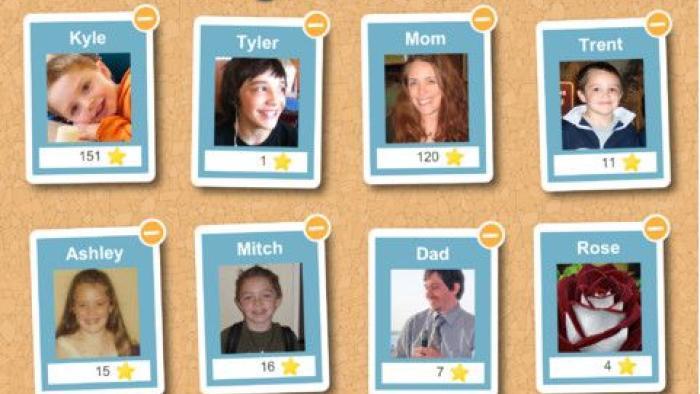
Chore Pad
A chore-tracking system where parents assign tasks, kids mark completion, and rewards or penalty stars motivate follow-through.
Relevance: Highlights parent-assigned tasks and reward systems as proven patterns for household accountability.
Influence: Supported Amigo's parent task input, sticker rewards, and point deductions for missed deadlines.
Research · Users & Stakeholders
Who Amigo is for
Students
Kids aged 5–13 who want to feel confident in school, stay on top of homework, and earn rewards for finishing tasks on time.
Parents
Especially working parents or families with two or more children who need a simple way to assign, track, and motivate academic tasks.
Stakeholders
Parents and students form the core user pair, with school schedules and academic routines shaping when tasks are assigned, completed, and due.
Everyday context
Homework after school, weekend projects, and exam preparation can add up to 2–5 hours of academic work, making it important to balance study time with hobbies, rest, and family time.
Research · Journey Mapping
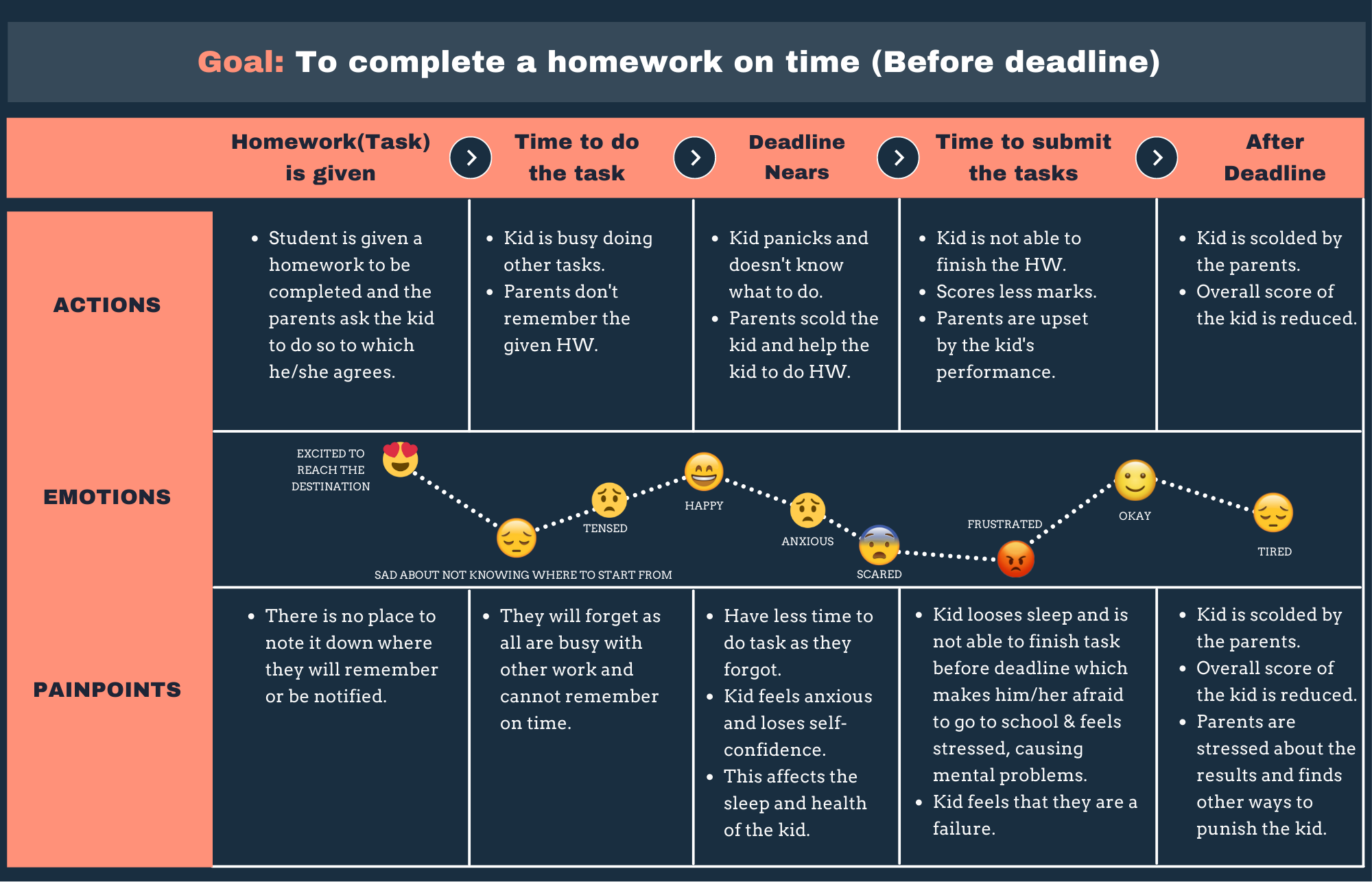
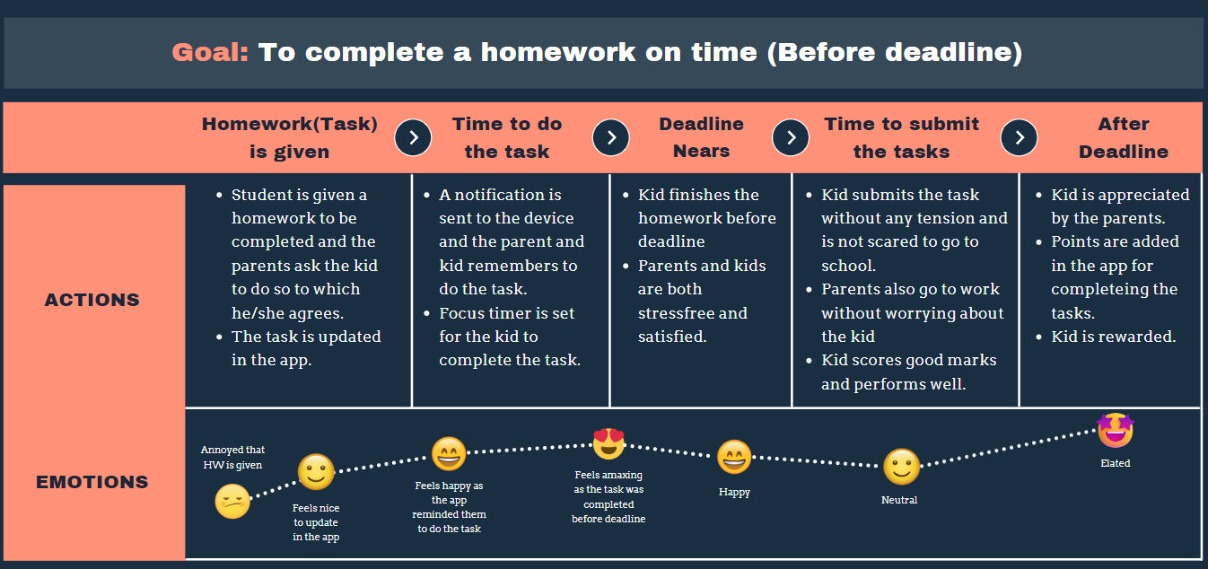
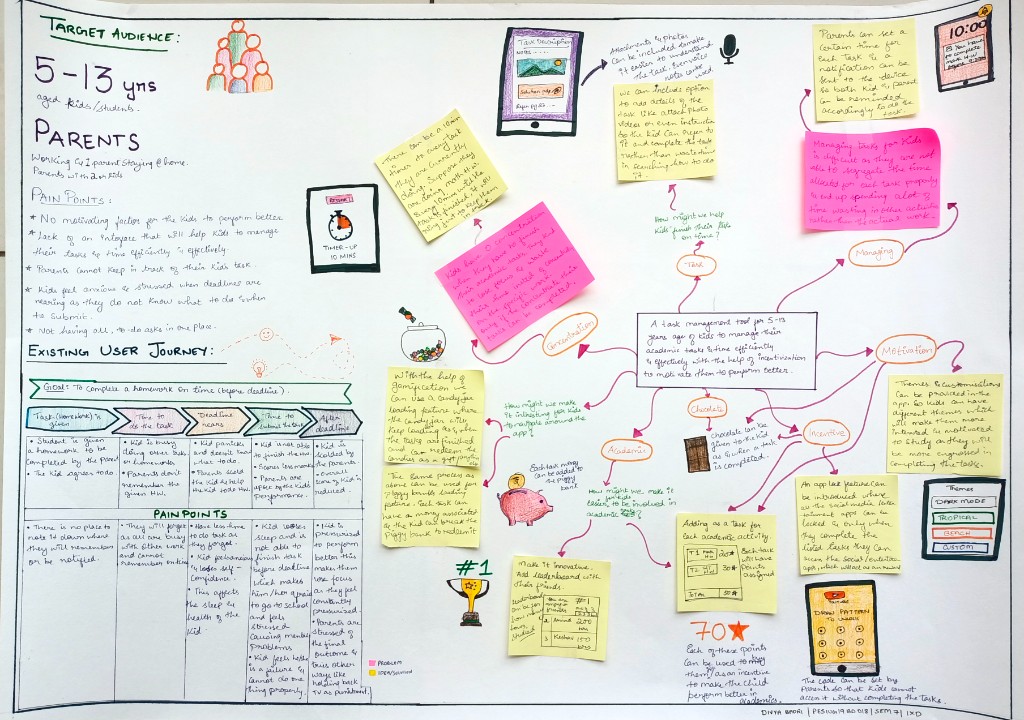
I mapped the existing customer journey to surface stress points near deadlines, then designed a desired journey where tasks, rewards, and parent visibility reduce anxiety and build habits early.
Research · Needs and Functions
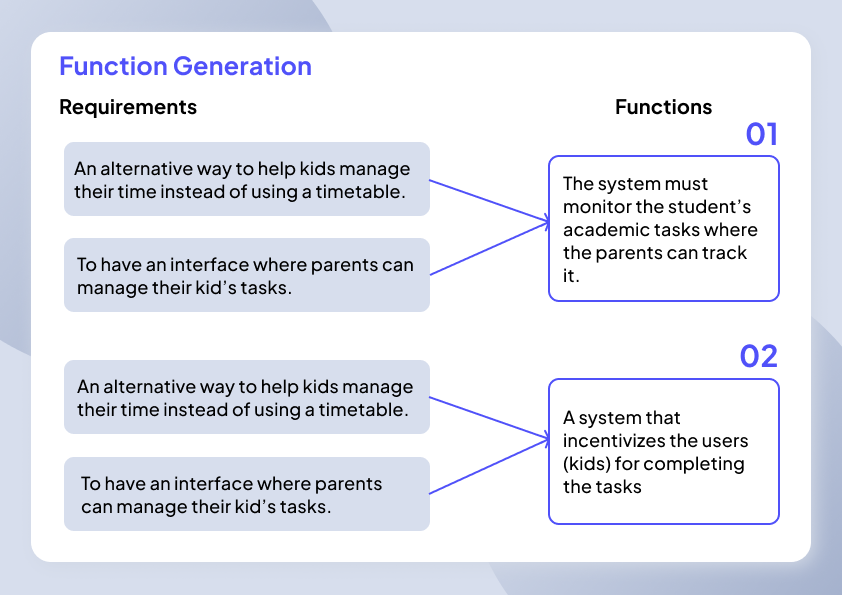
Interviews with 5 stakeholders and a survey of 45 parents translated into core product functions that balance student motivation with parent oversight.
Research · Giga Map
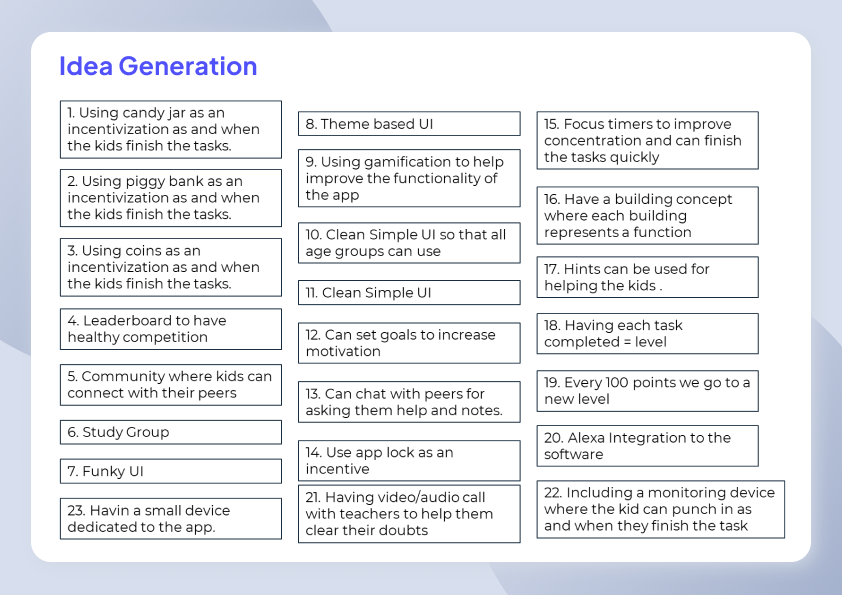
Idea Generation
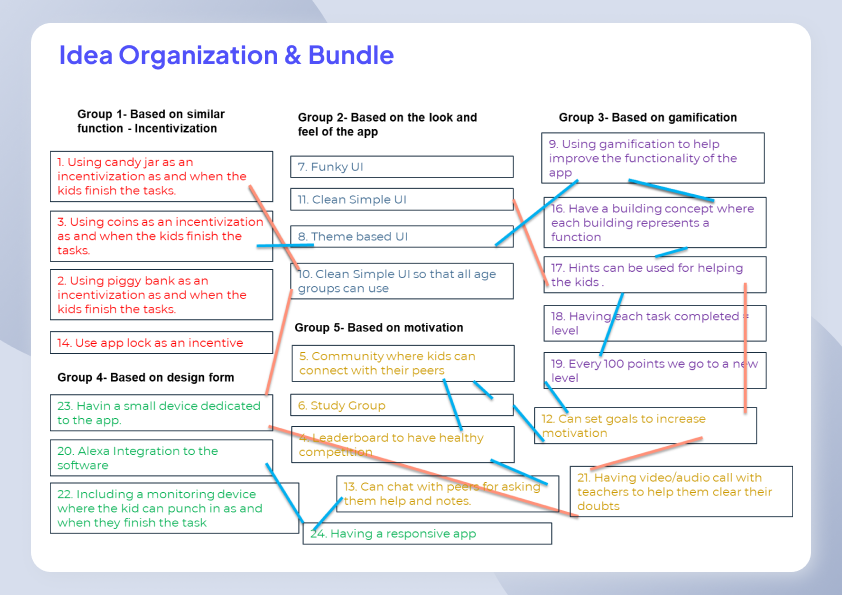
I categorized the idea into 5 groups.
Low Fidelity
- 1.Explored early wireframes for task lists, rewards, and navigation before committing to the gamified town concept.
- 2.Compared a simple side-nav approach against a building-based town map for kid-friendly wayfinding.
Mid Fidelity
The mid fidelity prototypes focused on validating the app's core experience, introducing character selection, gamified navigation, task and project views, Bunny Coin rewards, leaderboards, and community study groups. Feedback from 5 participants guided iterations before developing the final high fidelity designs.
Brand Guidelines
Colour system
The visual language pairs vibrant purple and orange accents with Plus Jakarta Sans typography to balance playfulness with clarity. Both light and dark modes were designed to provide a comfortable and accessible experience for children and parents alike.
Light mode
Primary colours
#5051F9
#FFA833
#5F6388
#EAEEF6
#F3F4F8
Secondary colours
#5051F9
#1DA7FF
Gradient
#1DA7FF
#ECEFFA
Dark mode
Primary colours
#5051F9
#FFA833
#1DA7FF
#1C2033
#0E111E
Secondary colours
#5051F9
#1DA7FF
Gradient
#FFFFFF
#303651
#5F6388
#ECEFFA
Research · Usability Testing
Gathering feedback
I conducted exploratory usability testing with 5 participants, out of which 3 parents and 2 children with varying levels of digital literacy used mid-fidelity prototypes to validate key user flows and identify improvements before developing the high-fidelity designs.
| Task | Participants passed | Focus |
|---|---|---|
| Create a project | 5/5 | Parent task input flow |
| Create a task | 5/5 | Task creation inside projects |
| View reward points | 4/5 | Rewards centre clarity |
| View rank | 4/5 | Leaderboard comprehension |
| Send connection request | 5/5 | Community friend flow |
Key feedback from participants:
- 1.“Separate logins for parents and children, with passwords on the parent account for safety.”
- 2.“Less cluttered dashboards — distinct parent and child views.”
- 3.“Simpler navigation for parents; keep gamified town for kids.”
- 4.“Fewer buildings — merge overlapping actions so users are not overwhelmed.”
- 5.“Combine tasks and projects under one action for easier switching.”
Final Design
Incorporating research & design elements
The final concept is a responsive app where kids explore a gamified town, complete academic tasks to earn Bunny Coins, progress through checkpoints, and connect with friends. Parents can assign tasks, track progress, and manage rewards, while mini games like Animal Escape and Space Invaders, alongside a leaderboard, keep motivation high without compromising clarity.
High Fidelity
High-fidelity screens were designed in both light and dark modes — covering dashboard, projects, tasks, rewards, community, group study, and messaging.
Light mode
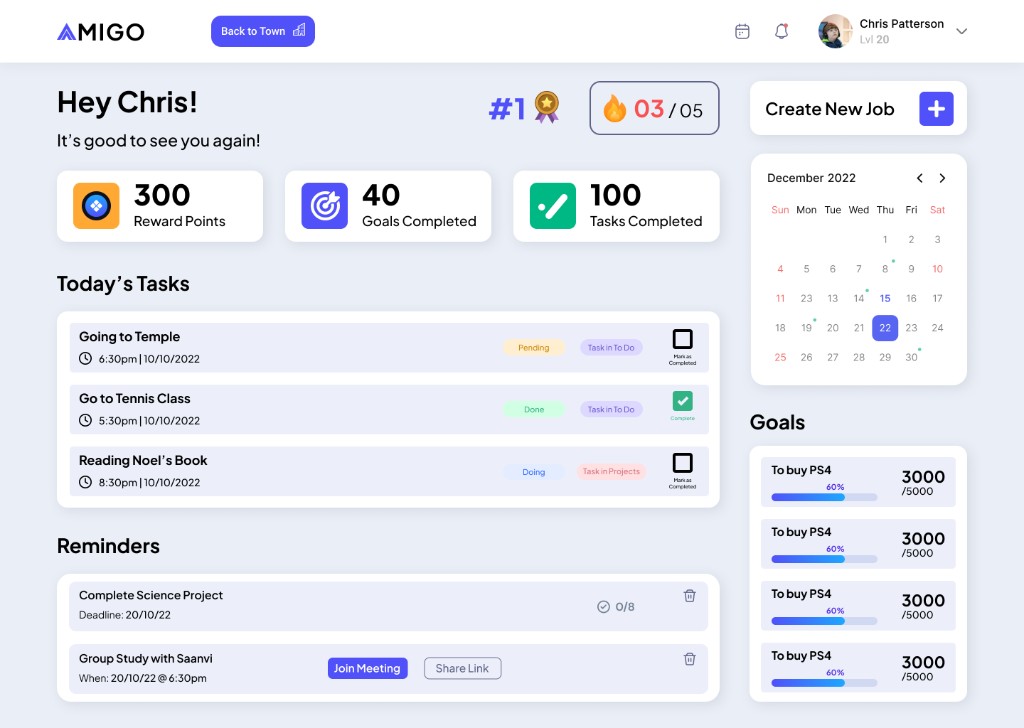
Dashboard
Dark mode
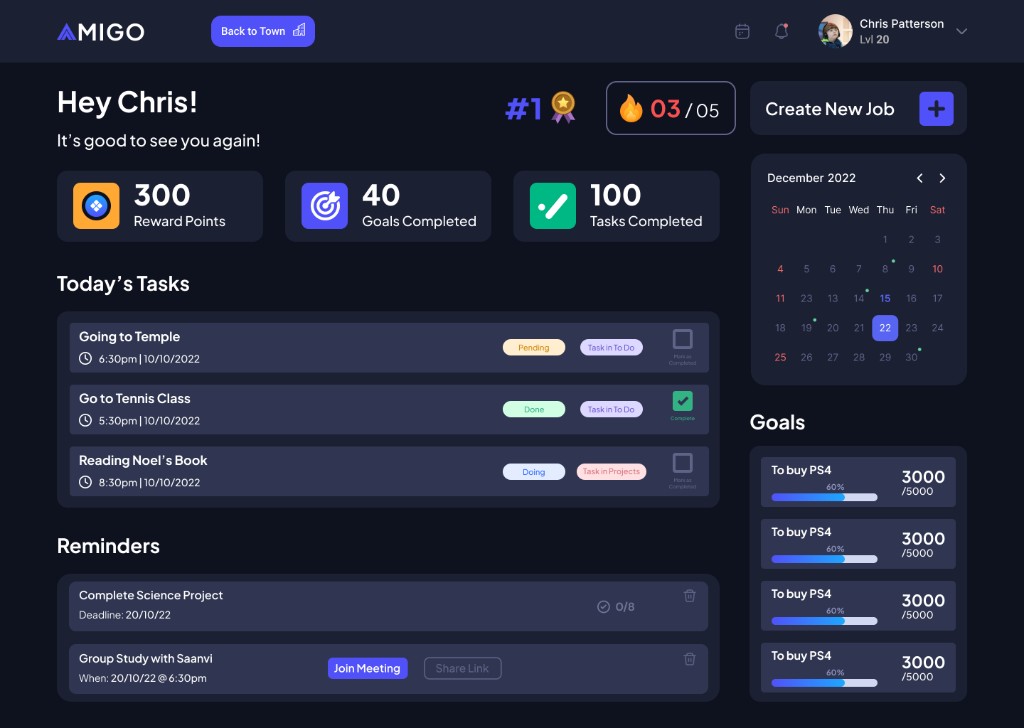
Dashboard
Research Paper
The paper explored the challenges children face in managing academic tasks and examined how gamification, parental involvement, and positive reinforcement can improve motivation, organisation, and learning outcomes.
View research paperPrototype Video
Design Decisions
01
Gamified town over traditional nav
Kids explore a playful world of buildings of Dashboard, Jobs, Rewards, Leaderboard, and Community, turning everyday task management into an engaging experience rather than another chore.
02
Bunny coins and levels
Each task earns reward points, with completed work adding Bunny Coins and unlocking new levels. Missed deadlines gently deduct points, encouraging consistency without relying on harsh punishment.
03
Parent and child experiences
After usability testing, the design separates parent and child logins, dashboards, and navigation so each audience gets an interface matched to their goals.
Reflection
01
Research grounded the reward model
Surveys and interviews revealed that parents value task tracking and meaningful incentives, while kids benefit from building healthy time management habits from an early age.
02
Testing simplified the experience
Mid-fidelity usability sessions revealed that fewer buildings, merged task/project views, and separate parent flows were essential before high fidelity.
03
Balance fun with accountability
While gamification, leaderboards, and focus timers make Amigo engaging, its real value lies in helping kids stay on track, finish their work on time, and reduce stress at home.